For electricians and building trades
Quotes and invoices,
signed on site.
Vecto handles the quote, the VAT, the customer’s signature (on site or remotely), the deposit, the invoice and the payment reminders. From your phone, between two jobs.
7 days free · no card needed
- A quote in 2 minutes
- Signed remotely or on site
- Deposits, invoices, reminders
From quote to payment, no paperwork
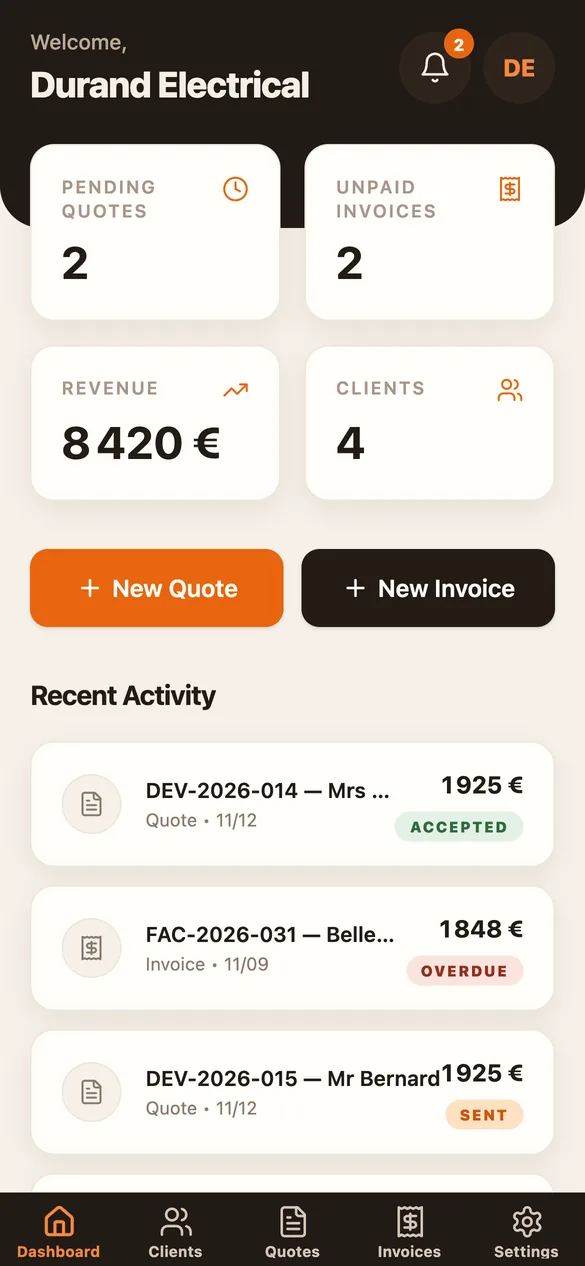
Four steps, all from your phone.
1 · Quote
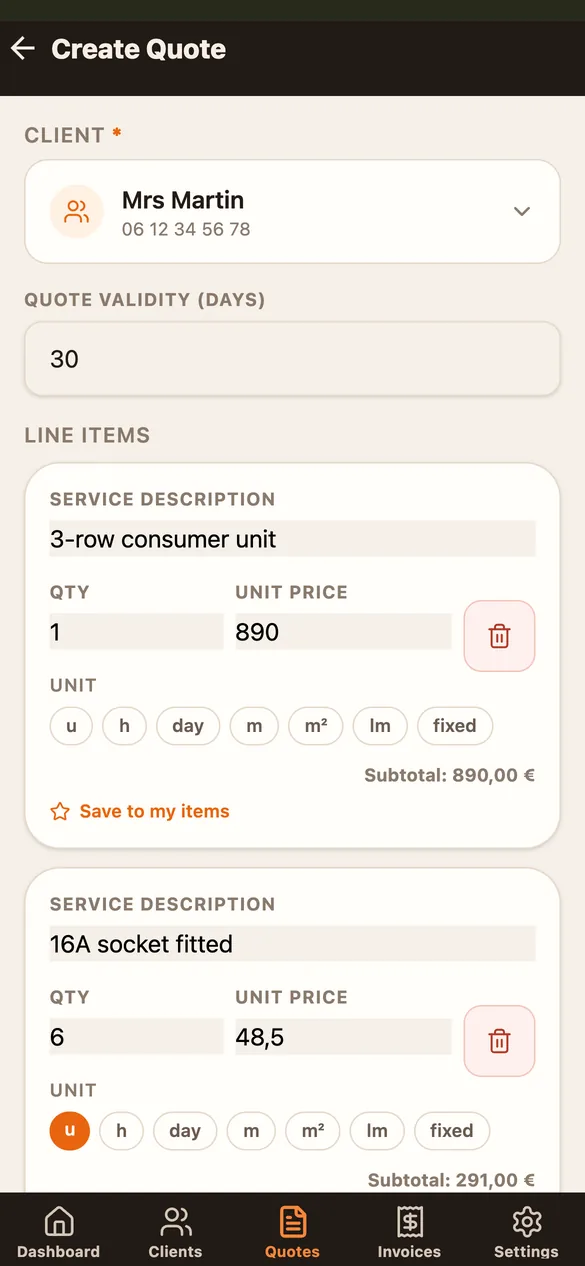
Your quote in 2 minutes
Add your saved items in one tap, with their units (hour, m², fixed price…). Vecto works out the subtotal, VAT and total, and creates a PDF with your logo.
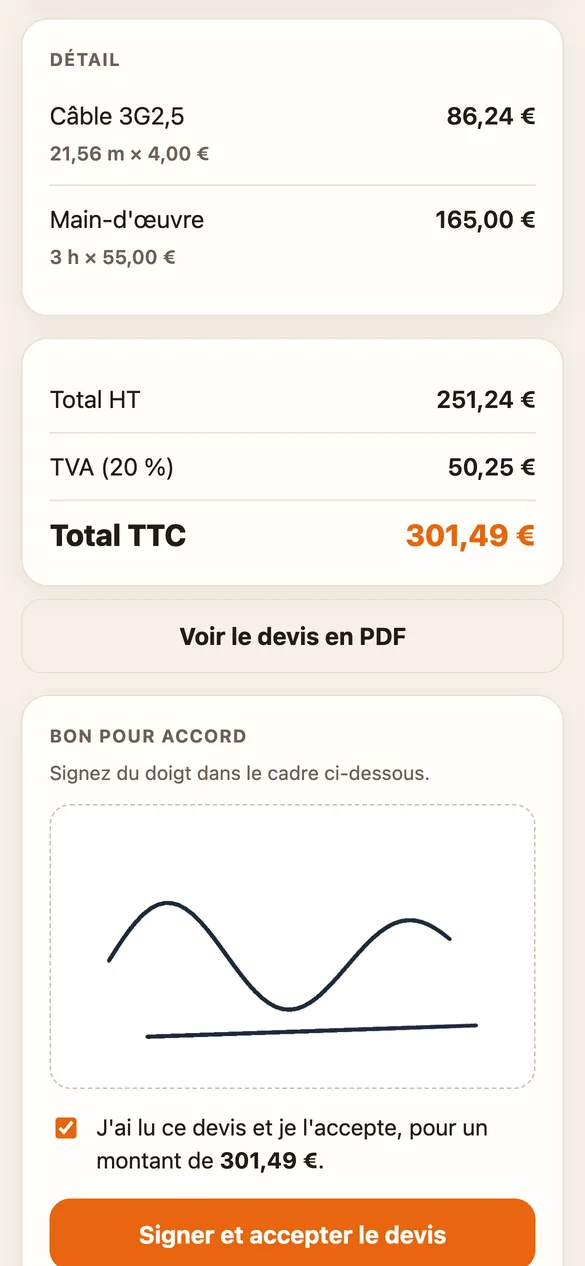
2 · Signature
Signed remotely, or on site
Send the quote by text, WhatsApp or email: your customer reads it and signs on their own phone, with nothing to install. You get notified as soon as they sign. On site, they can also sign on your screen.
3 · Deposit and invoice
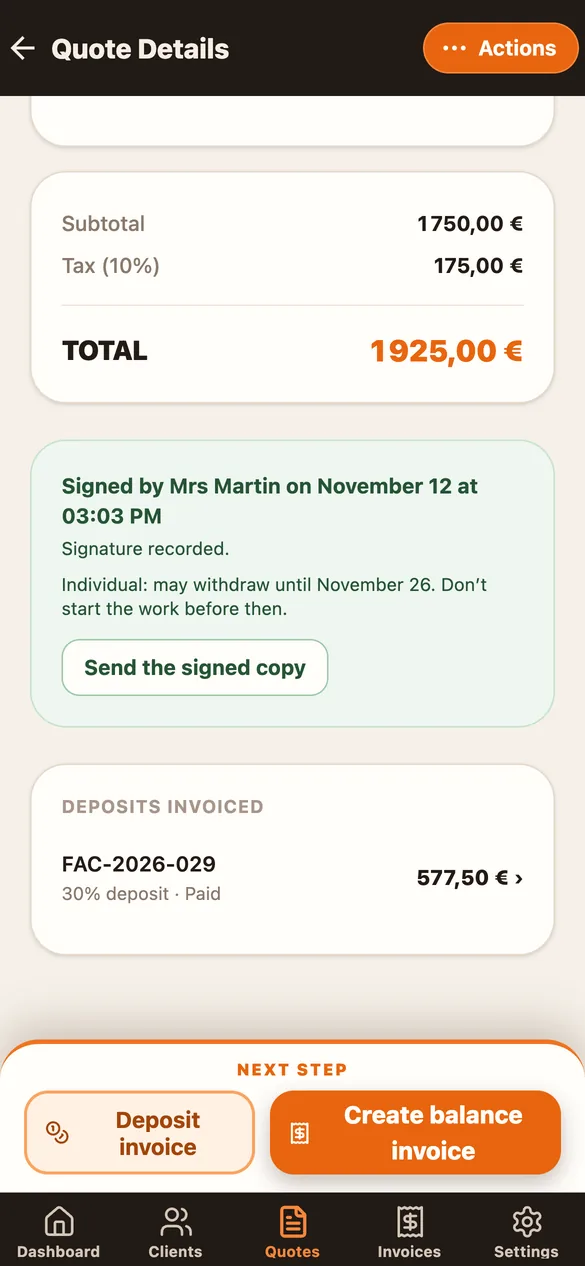
Deposit, balance: invoiced in one tap
Invoice a 30% deposit when the quote is signed, then the balance invoice: the deposit is deducted automatically. Nothing to retype.
4 · Payment
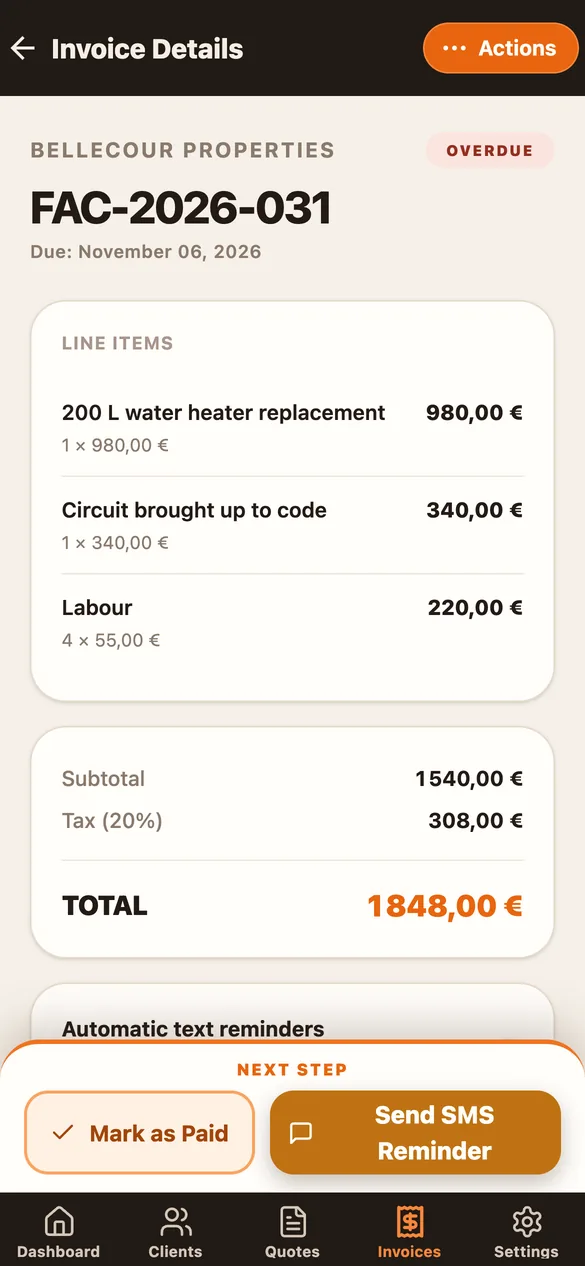
Paid sooner
Your IBAN is printed on the invoice for an instant bank transfer. If it’s still unpaid when due, Vecto sends a reminder text, and you see every reminder.
And for every day
Document templates
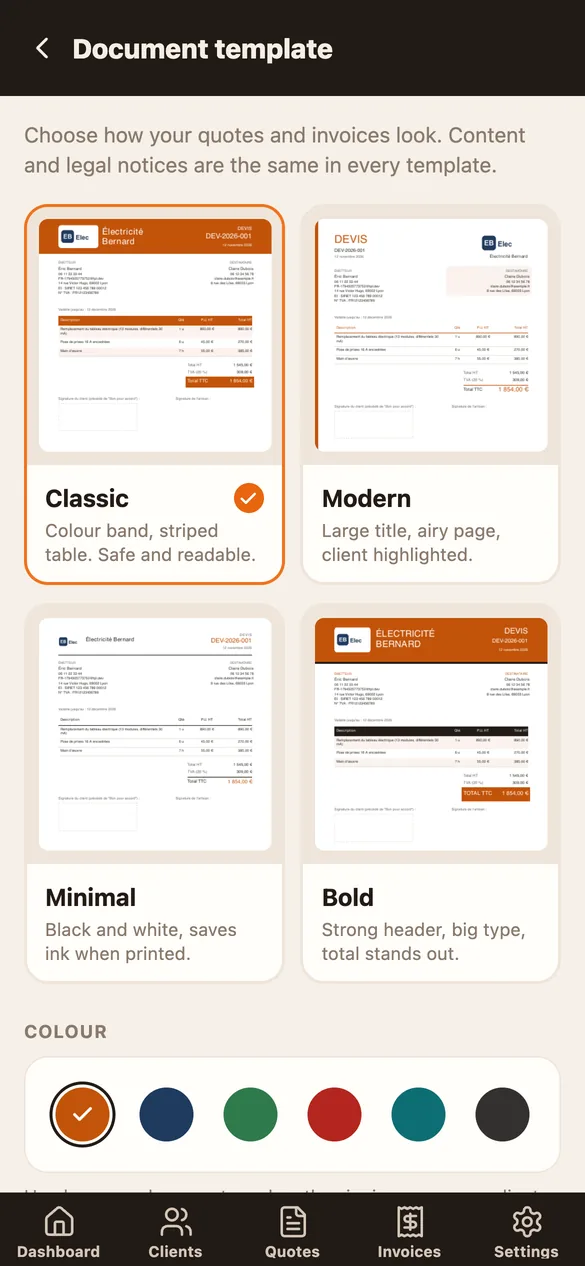
Quotes and invoices that look like you
Pick one of 4 templates (Classic, Modern, Minimal, Bold) and 6 colours, with your logo. Instant PDF preview; legal notices are the same in every template.
Search and filters
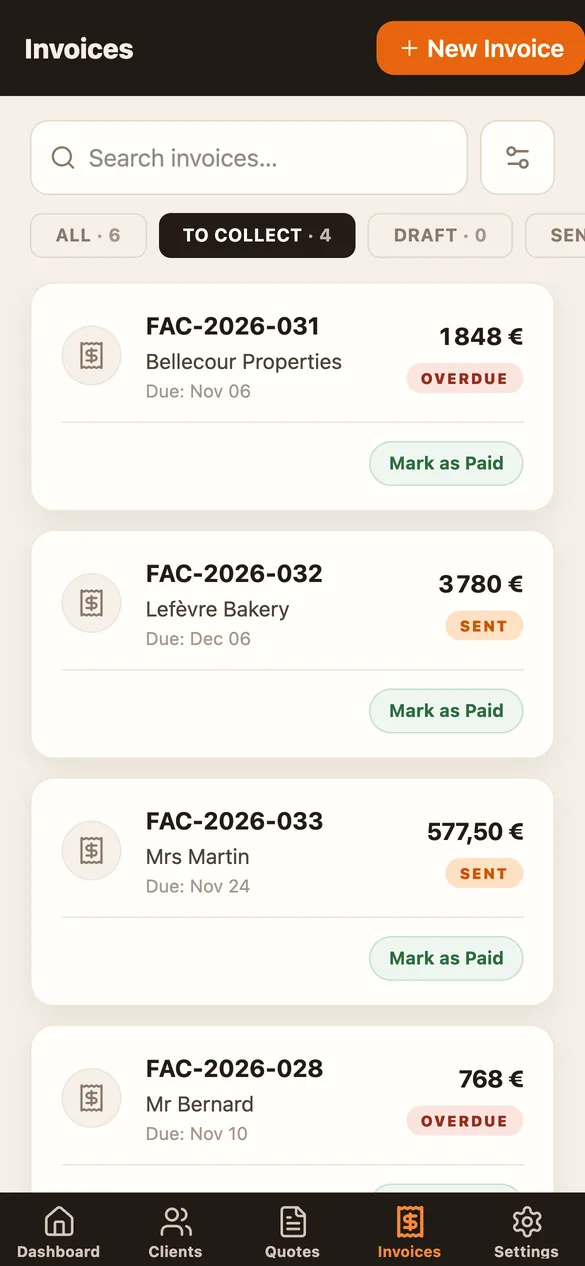
Find anything in a second
Search a client, a number, a phone or an amount, accents or not. Filter by status (“To collect”), period or invoice type, and sort by amount or due date.
Offline
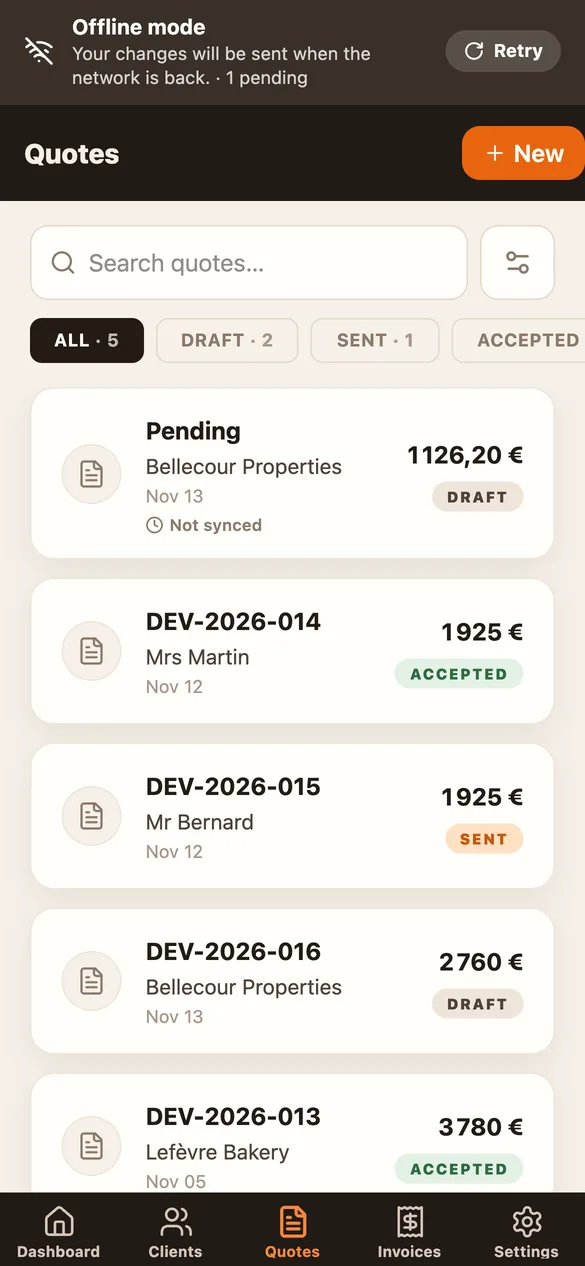
Works with no signal on site
In a basement or out in the country, your recent quotes, invoices and customers stay on your phone. Create a quote, get it signed on site or prepare an invoice: Vecto sends everything, in order, as soon as the network is back.
Everything you need, nothing you don’t
My items
Save the items you charge often, with their price and unit, and add them to a quote in one tap. Duplicate an old quote for a similar job.
Remote signature
One link by text, WhatsApp or email: the customer reads the quote, opens the PDF and signs with a finger. The quote turns “Accepted” by itself.
Notifications
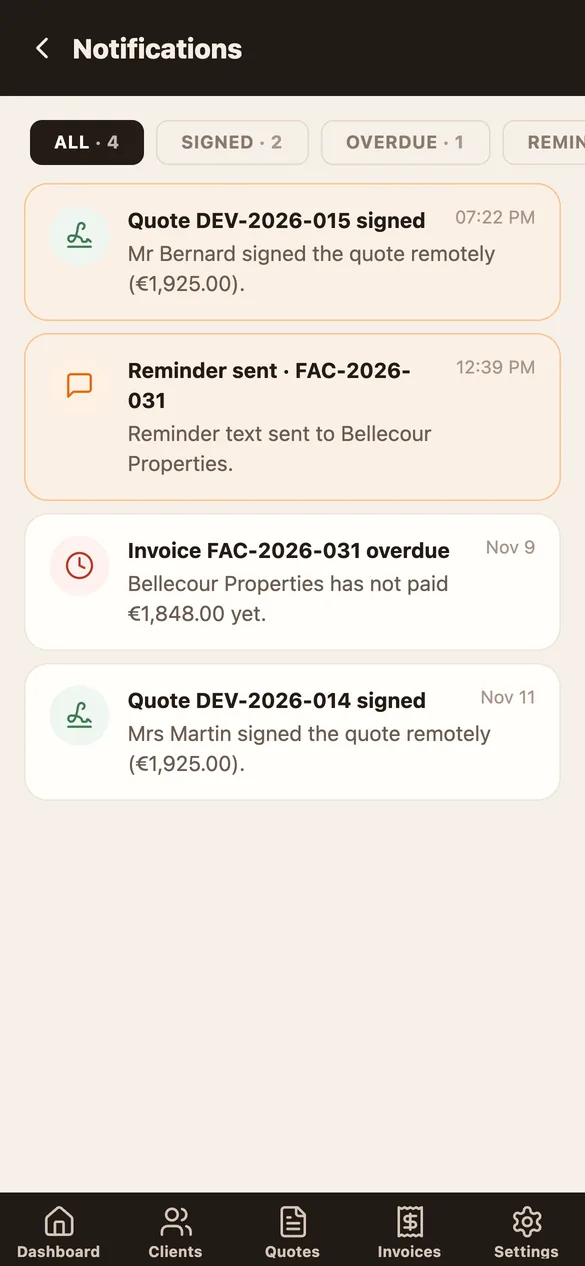
Get notified on your phone when a quote is signed, when an invoice becomes overdue and when a reminder goes out.
Correct maths
Subtotal, VAT and total worked out for you, with building-trade rates and units.
Legal notices
Company number, insurance, VAT exemption for sole traders, IBAN: it’s all printed on your documents.
Reminders under control
Overdue invoices get a weekly reminder text. Turn reminders off for one customer or your whole account in one tap.
Simple pricing
Try everything for 7 days, free and with no commitment.
Monthly
€14.99/ month
Cancel anytime
Yearly
€119/ year
That’s €9.92 a month
- Unlimited quotes and invoices
- Remote or on-site signature
- Deposit and balance invoices
- Automatic text reminders
- PDFs with your logo, 4 templates
Billed and cancelled through Google Play, anytime.
Questions
Does the free trial commit me to anything?
No. For 7 days after you sign up, everything is available with no payment method. Then you choose whether to subscribe.
Does my customer need the app?
No. They get a link by text, WhatsApp or email, read the quote in their browser and sign with a finger. You’re notified as soon as they sign.
Does it work with no signal?
Yes. Your recent quotes, invoices and customers stay on your phone: you can look them up, create a quote or an invoice and get a signature on site without a connection. Vecto sends your changes as soon as the network is back. Sending a link, the PDF and deleting wait for the network.
Can I invoice a deposit?
Yes. On a signed quote, create a deposit invoice (20%, 30%, 50%…). The balance invoice deducts the deposits already invoiced.
Where is my data stored?
Vecto’s server and database are hosted in Europe, and all traffic is encrypted. Vecto shows no ads and never sells data.
How do I cancel?
In Google Play → Payments & subscriptions → Subscriptions → Vecto. Access stays on until the end of the paid period.
What about iPhone?
Vecto is available on Android only for now.